App monitoring
The default. The app reads the meaning of what is said and checks it against your goal and rules, so “no giveaway today” is not mistaken for “the giveaway is live”.
Features
Echolert listens to the Chrome tabs you choose and tells you when something you care about is said. Everything on this page is in the current preview build, which is still being tested. Nothing is available to download yet.
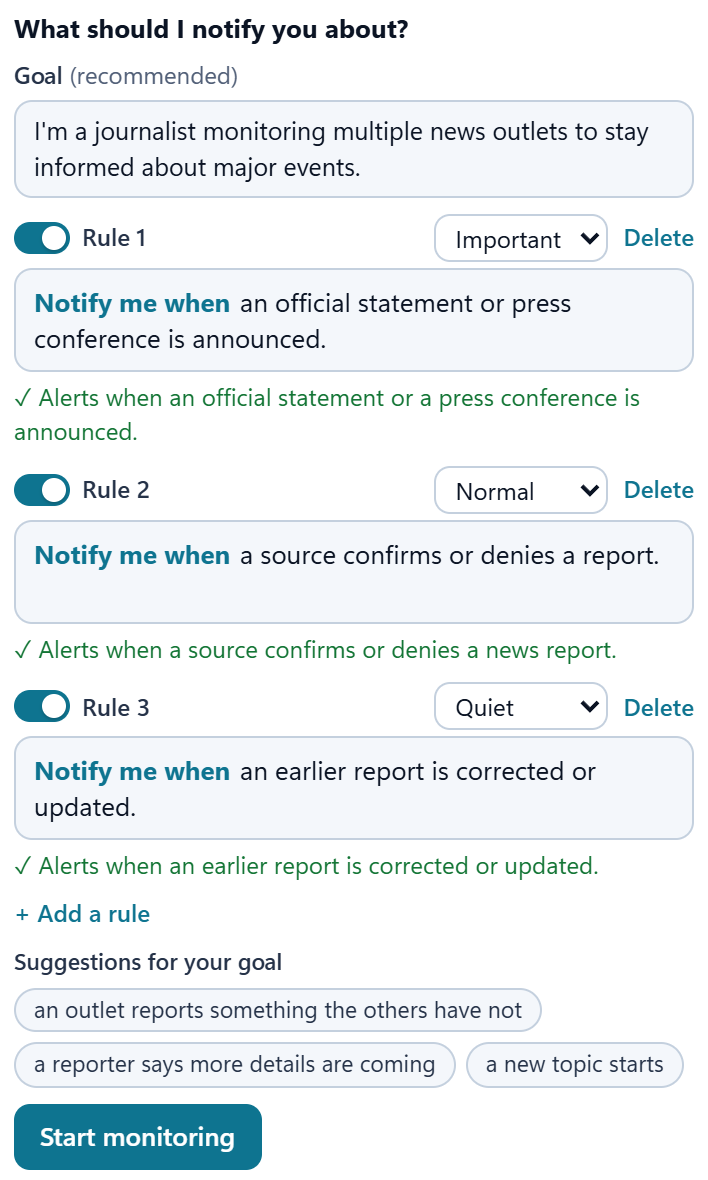
For each tab, say in plain words what you care about. Echolert checks what is said against your rules, not against a list of keywords.
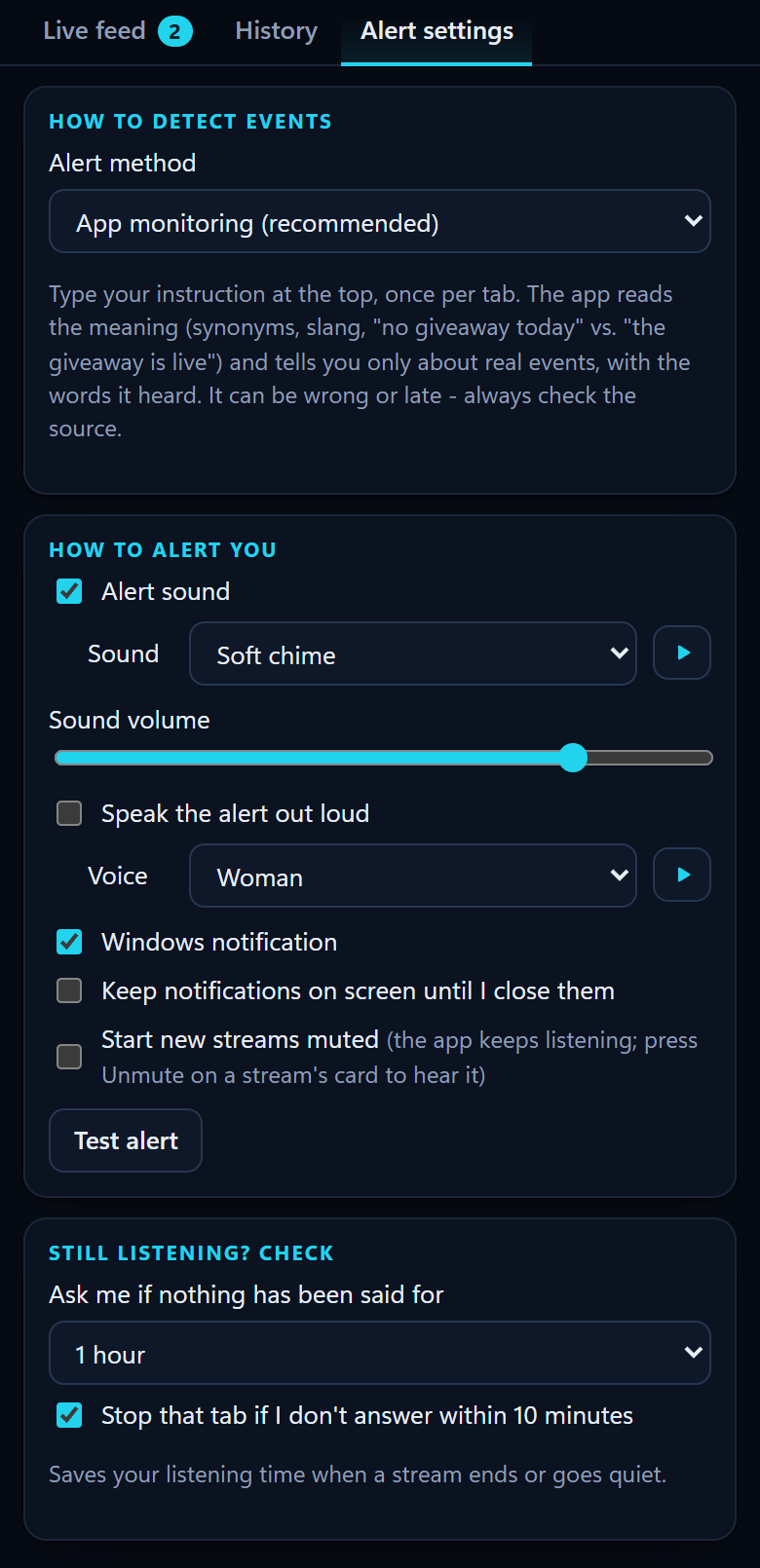
Choose the alert method in Alert settings, and switch whenever you like. Either way, speech in the tab is first turned into text.
The default. The app reads the meaning of what is said and checks it against your goal and rules, so “no giveaway today” is not mistaken for “the giveaway is live”.
Only the exact words you choose trigger an alert, and no text goes to the analysis provider. While it is selected, your goal and rules wait; one click on “Use app monitoring” switches back.
The Live feed works like a chat. When a rule is met, an alert appears with the words that were said, so you can judge it yourself before you switch tabs.
App alerts can be wrong or late - always check the source.
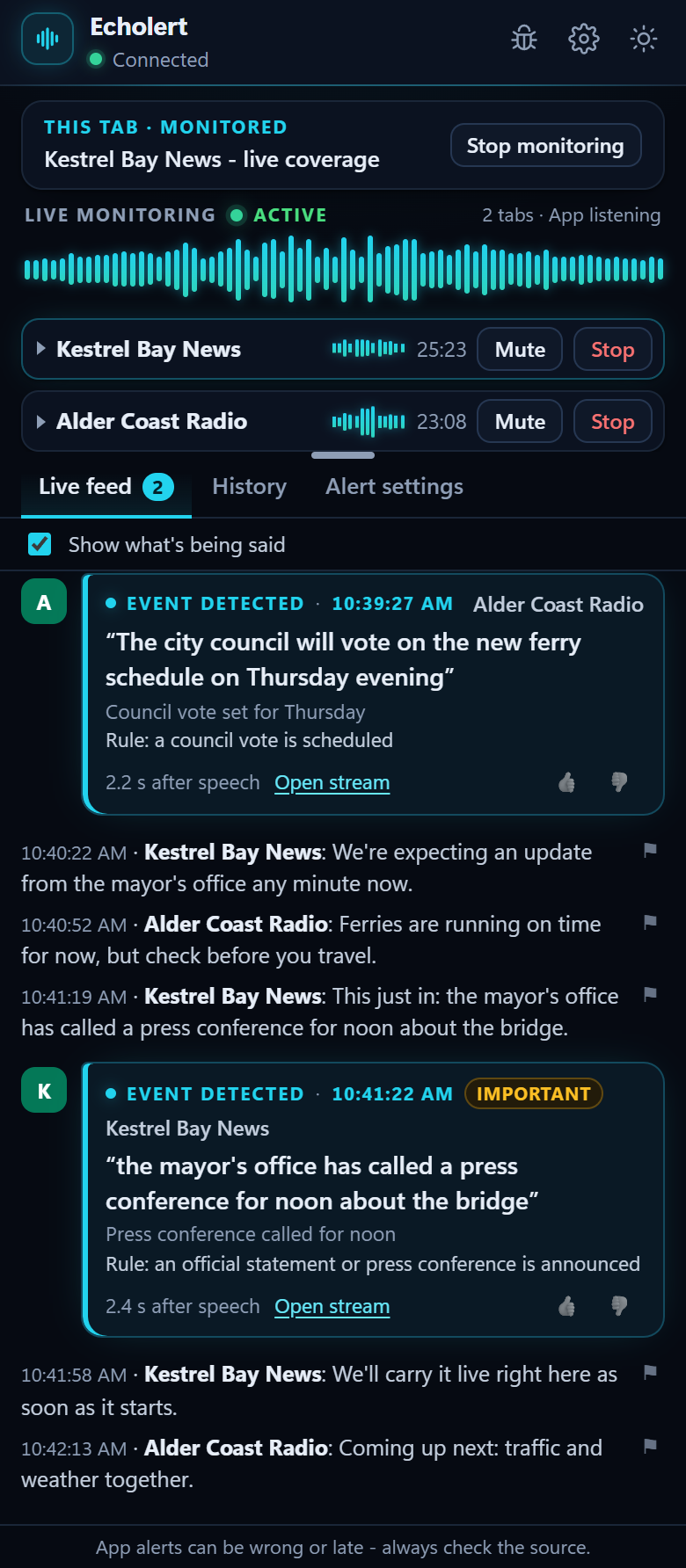
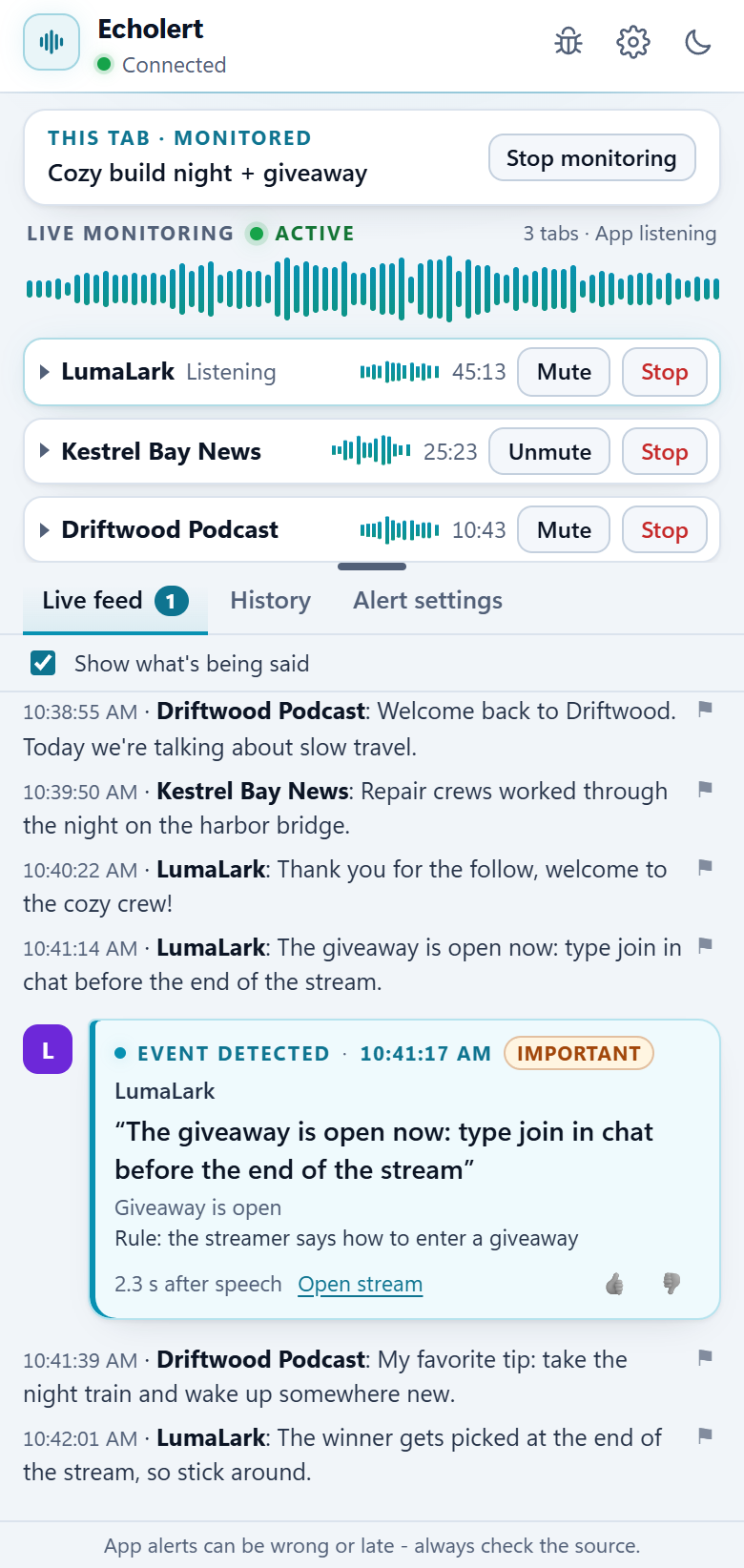
Monitor a few broadcasts side by side. Each tab keeps its own rules, so a news channel and a livestream never get mixed up.
Decide how loudly each alert reaches you, from a quiet line in the Live feed to a notification that waits for you.
Small things that make hours of listening easier.
The card's Mute, Chrome's tab mute and the video player's own mute all keep monitoring going. A player muted in the page is switched to the card's Mute for you, so you still hear nothing. Stop never changes what you hear.
After 1 hour with nothing said (choose 30 minutes to 4 hours, or off), the app asks. With no answer, that tab stops 10 minutes later, so a finished stream doesn't use up listening hours.
Your alerts, the newest 500, with the words that were said. Filter them by stream name or by rule, and rate each one with a thumbs up or down.
The deep navy and cyan look comes in a light and a dark theme. One click on the sun or moon switches; until then it follows Windows.
Drag the divider above the Live feed to give more room to the alerts or to your rules and tabs. Double-click to reset it; your choice is remembered on that computer.
Click the Echolert icon in Chrome's toolbar on the tab you want, or press Alt+Shift+L. Chrome asks for that once per tab before any extension may listen to it.
You decide what Echolert listens to, and you can take it back at any time.
Read the privacy policy (draft)Example goals and rules for journalists, livestream viewers, people who follow business news and sports fans.